
-
Log in to your user account on BeNeering Cloud.
-
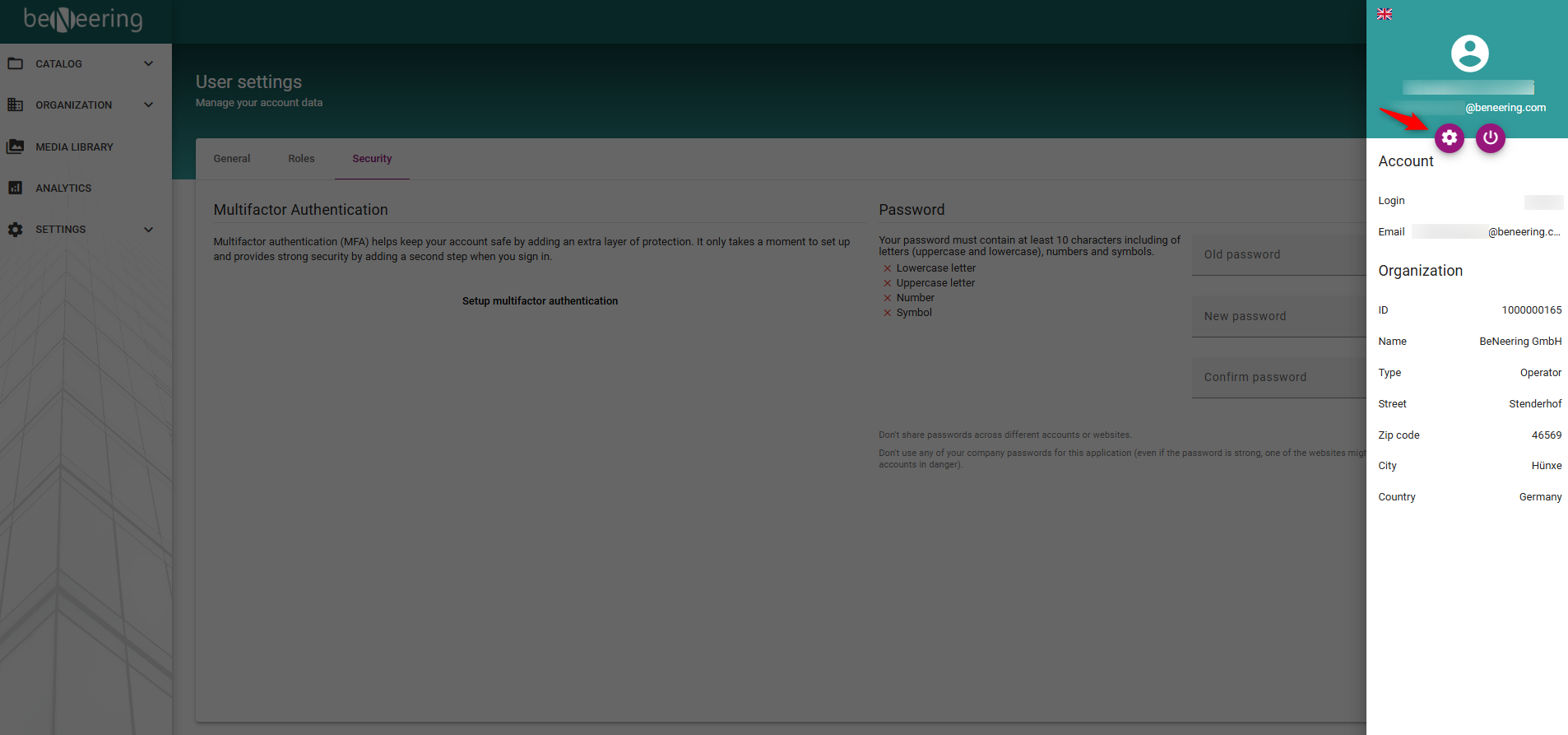
Once logged in, navigate to the top-right corner of the interface.
-
Click on the user icon.
-
From the dropdown menu, select the Settings option.
-
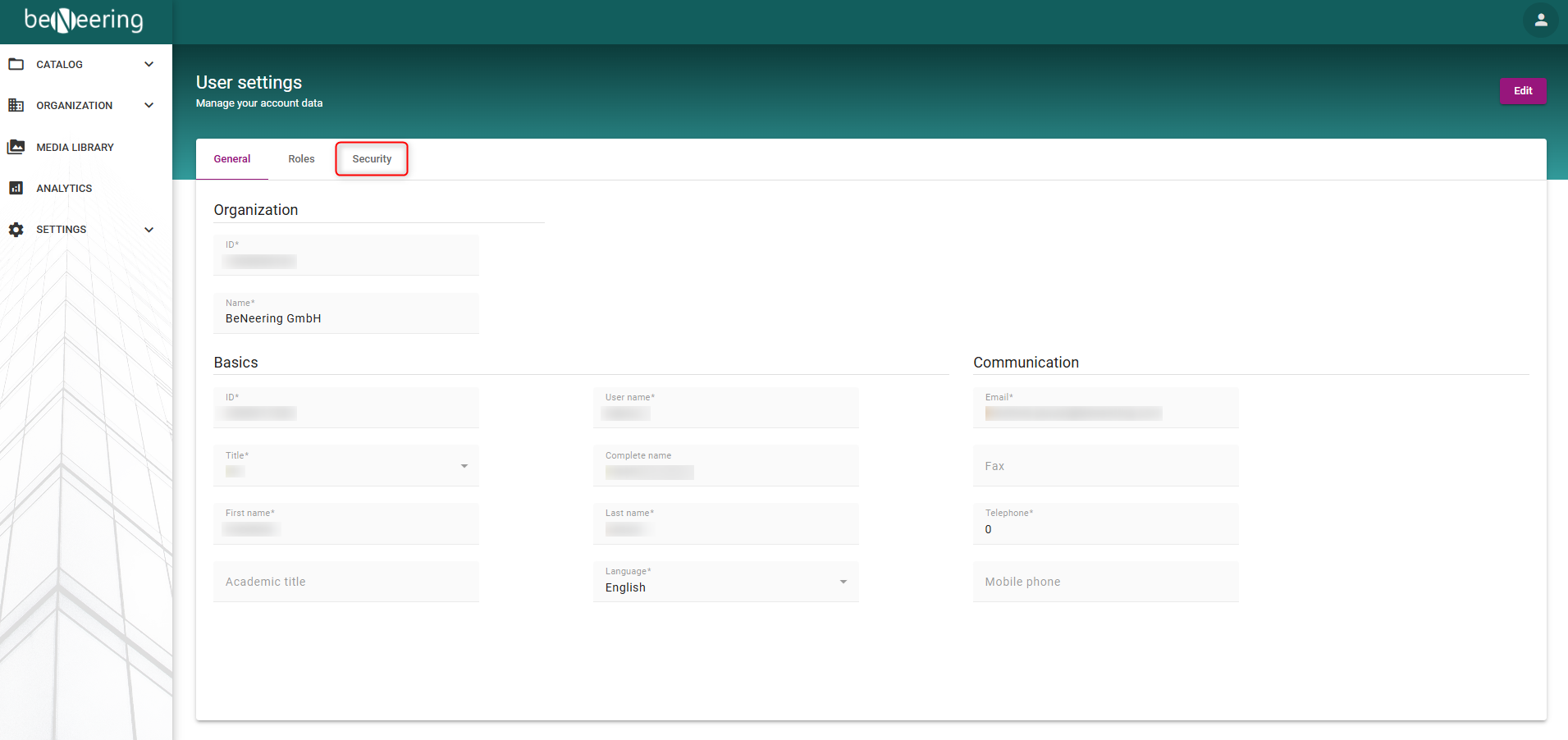
A new page will open. Then you need to go to the “Security” tab.
-
On the right side, you will find fields to enter your current (old) password and your new password.
-
After entering the required information, click “Change Password.”
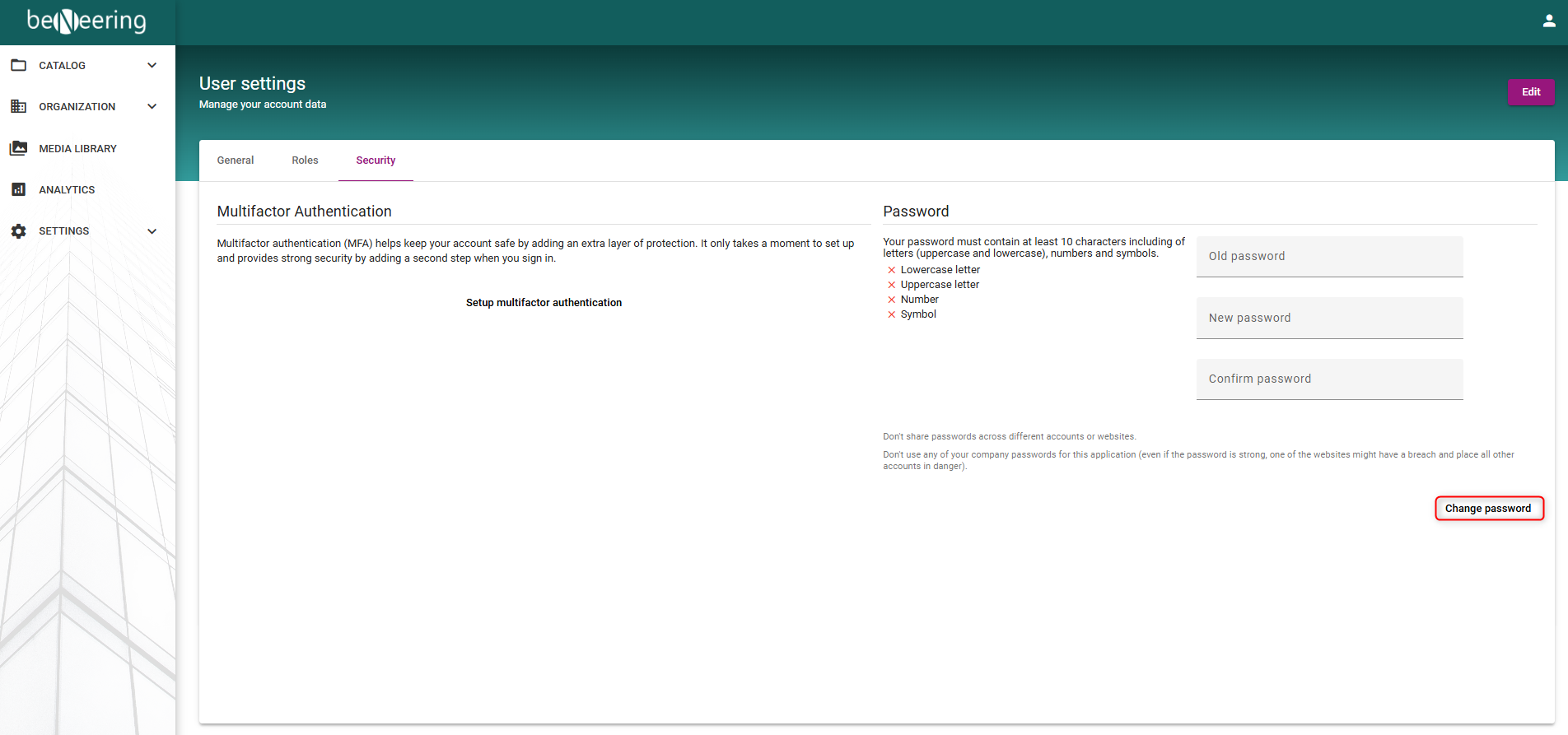
Once completed, a notification will appear at the bottom of the page confirming that your password has been successfully changed.